Nearly two decades and several text-handling paradigms ago, I was an editorial assistant at a weekly newspaper, where a few freelancers still submitted their work on typewritten pages. Stories would come in over the fax machine. If the printout was clear enough, and if our giant flatbed scanner was in the mood, someone would scan the pages in, a text-recognition program would decipher the letters, and we would comb the resulting electronic file for nonsense and typos. If the scanner wasn’t in the mood, we would prop up the hard copy beside a computer and retype the whole thing. Technology was changing fast, and some people were a few steps slow. You couldn’t blame them, really, but for those of us who were fully in the computer age, those dead-tree sheets meant tedious extra work.
Nowadays, I get the same feeling of dread when I open an email to see a Microsoft Word document attached. Time and effort are about to be wasted cleaning up someone’s archaic habits. A Word file is the story-fax of the early 21st century: cumbersome, inefficient, and a relic of obsolete assumptions about technology. It’s time to give up on Word.
It took years for me to get to this point. I came of age with Word. It’s the program I used to write my college papers, overcoming old-fashioned page counts with its magical font-switching technology: Times, tightly justified, if the writing was running too long; airily monospaced Courier if things were too short. In those days, Word was an obedient and resourceful servant.
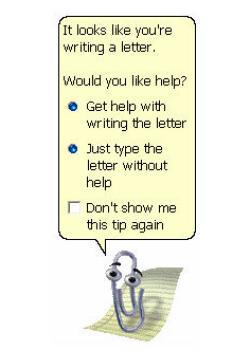
Today, it’s become an overbearing boss, one who specializes in make-work. Part of this is Microsoft’s more-is-more approach to adding capabilities, and leaving all of them in the “on” position. Around the first time Clippy launched himself, uninvited, between me and something I was trying to write, I found myself wishing Word had a simple, built-in button for “cut it out and never again do that thing you just did.” It’s possible that the current version of Word does have one; I have no idea where among the layers of menus and toolbars it might be. All I really know how to do up there anymore is to go in and disable AutoCorrect, so that the program will type what I’ve typed, rather than what some software engineer thinks it should think I’m trying to type.
Word’s stylistic preferences range from the irritating—the superscript “th” on ordinal numbers, the eagerness to forcibly indent any numbered list it detects—to the outright wrong. Microsoft’s inability to teach a computer to use an apostrophe correctly, through its comically misnamed “smart quotes” feature, has spread from the virtual world into the real one, till professional ballplayers take the field with amateur punctuation on their hats.
Even so, people can live with typos in their input. (Witness the boom in paraphasic email Sent From My iPhone.) What makes Word unbearable is the output. Like the fax machine, Word was designed to put things on paper. It was a tool of the desktop-publishing revolution, allowing ordinary computer users to make professional (or at least approximately professional) document layouts and to print them out. That’s great if you’re making a lot of church bulletins or lost-dog fliers. Keep on using Word. (Maybe keep better track of your dog, though.)
For most people now, though, publishing means putting things on the Web. Desktop publishing has given way to laptop or smartphone publishing. And Microsoft Word is an atrocious tool for Web writing. Its document-formatting mission means that every piece of text it creates is thickly wrapped in metadata, layer on layer of invisible, unnecessary instructions about how the words should look on paper. I just went into Word and created a file that read, to the naked eye, as follows:
the Word
Then I copy-pasted that text into a website that revealed the hidden code my document was carrying. Here’s a snippet:
And it goes on:
And on:
The whole sprawling thing runs to 16,224 characters. When I dumped it back into Word, it was an eight-page document.
Online publishing systems gag on this stuff; gremlins breed in the hidden spaces. Some publishing platforms have a built-in button especially for pasting text from Word, to clear away the worst of it, but they don’t work very well. Beyond the invisible code, there are those annoying typographical flourishes—the ordinal superscripts, the directional quotation marks, the automatic em dashes—that will create their own headaches in translation. Multiple websites exist simply to unmangle Word text and turn it into plain text or readable HTML.
When a standard tool requires this many workarounds, we need to find a new standard. Word wants to show that it knows the world isn’t merely about paper—you can make documents that have real, live hyperlinks in the text! You just can’t necessarily put those hyperlinks up on the Internet for anyone else to click on. Again and again, Word is defeated by the basic job of contemporary writing and editing: smoothly moving text back and forth among different platforms. The fundamental unit of Word is the single, proprietary file, anchored to one computer. Microsoft showed users how it feels about sharing work when it switched its default format from .doc to .docx in Office 2007, locking old and new Word customers out of each other’s files. (There are workarounds, of course. There are always workarounds.)
Word’s idea of effective collaboration is its Track Changes feature, which makes an uneventful edit read like a color-coded transcript of an argument between the world’s most narcissistic writer and the world’s most pedantic and passive-aggressive copy editor. No change is too small to pass without the writer’s explicit approval, and the editor is psychopathically unwilling to accept a blanket concession: “On page 5: our house style is ‘eleven,’ not ‘11,’ so I changed your ‘11’ to ‘eleven.’ Do you understand?” Yes, OK, sure. “On page 9, you wrote ‘11,’ so I changed it to ‘eleven,’ do you understand?” Yes, yes, house style, got it. “On page 15, you wrote ‘11’ …”
Some people have already moved on to a post-Word world. One national sportswriter told me he writes everything in TextEdit, because it goes easy on memory and it opens and closes in a snap. (My own latest copy of Word won’t launch a new blank document without demanding that I identify which of a half-dozen kinds of project files—most of which are meaningless to me—I’m trying to create.)
When I was writing a book, which required lots of alone time with a giant file—and lots of word-counting, which Microsoft is good at—I stuck with Word. But for everyday projects, I go days or weeks without opening it. This piece started out as a Gmail message, which saved automatically and was easy to access at home, at the office, or on my phone in transit. Then I switched over to TextEdit, which gives me a bigger window to work with and handles line breaks more cleanly than Gmail does. For protracted edits, I create a Google document, so multiple readers can work on it at once. If they want to track the changes, they can read the revision history. For short blog posts, I write straight into the publisher.
If I really want a word count, I open a Word document and paste my work into it. Once I have the number, I dump the document, unsaved, so nothing gets contaminated with Word-iness.
I know only one person who loves working in Word: my 4-year-old. It’s valuable to him to be able to put the names of subway lines in their correct colors, or to spell out “autumn” with each letter a different falling-leaf hue, or to jump from Times New Roman to Comic Sans to Chalkboard in midstory. He also loves to write things on my old manual Smith-Corona. A tool that’s lost its purpose makes a great toy.
